Managing Your Financial Connections: The Connections Hub
Written By Oscar
Last updated 3 months ago
Our Connections Hub acts as the central control panel for your financial data, providing a clear, real-time view of your linked providers, their sync status, and the specific assets being tracked on your dashboard.
1. Navigating Your Connections Hub
The Connections Hub is organized into two primary sections to help you manage your data connections with ease:
Connected Financial Service Providers: This section displays all the institutions you have already linked. Here, you can monitor the health of your connections, see when data was last synced, and view which aggregator (SnapTrade or Plaid) is powering the connection.
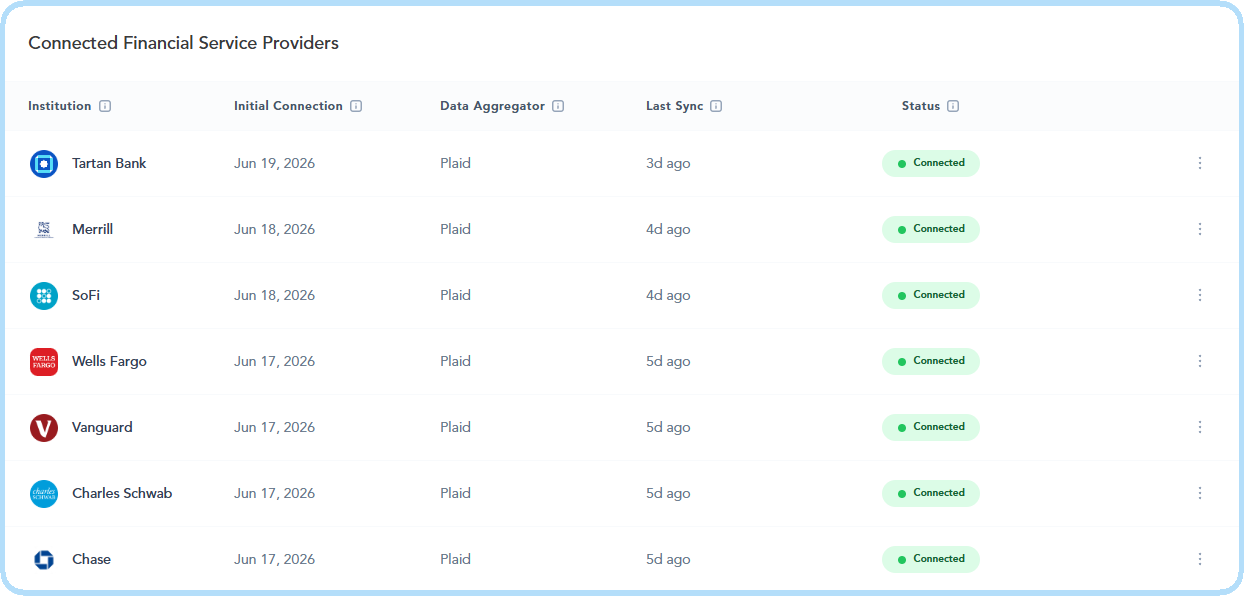
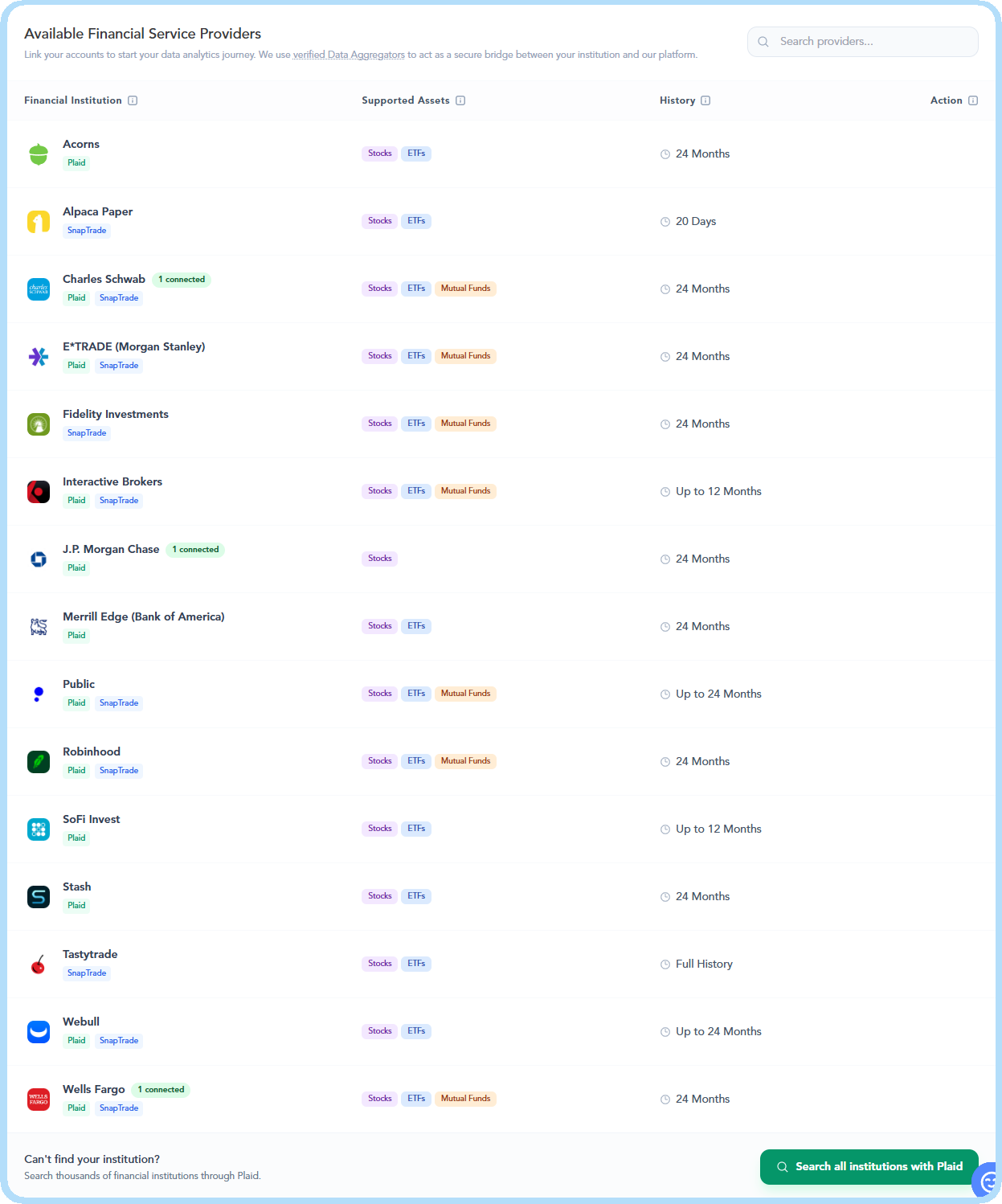
Available Financial Service Providers: This is your directory for expansion. You can browse our featured list of financial providers (brokerages, banks and institutions), alphabetized for convenience, to see which asset classes and history lookback periods are supported by each institution. If you do not see your financial provider listed here, you can use the advanced Plaid search tool to search over 3,000 US-based institutions.
2. Understanding Your Connection Status
To ensure your dashboard metrics are always based on the most accurate data, we provide visual indicators for every linked provider:
Status Icons:
Green (Connected): Your data is flowing normally and is up to date.
Blue (Initial Sync): A new connection is currently processing its first data import. This may take up to 24 hours depending on the volume of your historical records.
Yellow (Disconnected): The connection requires attention, typically due to an expired token or a required MFA refresh. You can easily click the "Kebab Menu" (three dots) to select "Reconnect."
Data Aggregators: You will see either SnapTrade or Plaid listed next to your connections. These are our secure, industry-leading partners that retrieve your transaction history and holdings balance in a strictly read-only format.
3. Adding New Connections
Ready to centralize your visual data tracking? Adding a new provider is a streamlined process:
Browse or Search: Locate your provider in the Available Financial Service Providers list.
Review Capabilities: Before clicking connect, you can view the "Supported Assets" and "History" columns to understand what data (e.g., Stocks, ETFs, Mutual Funds) will be imported and the historical range available for that specific institution.
Secure Authentication: Click the "Connect" button. You will be guided through a secure, provider-specific authentication window.
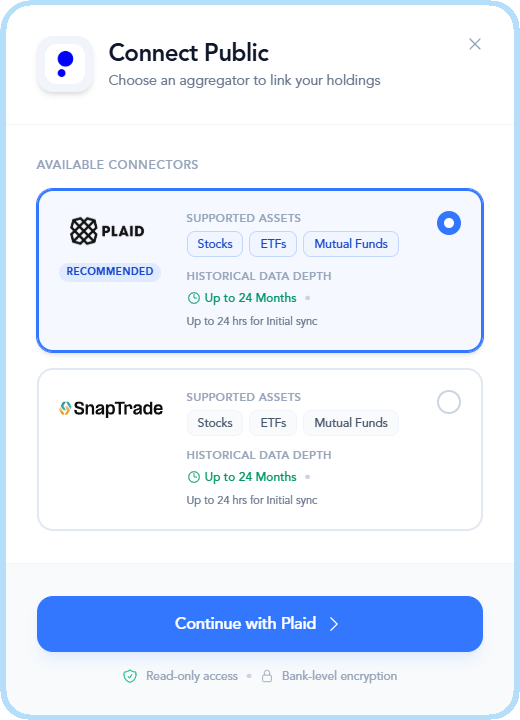
NOTE: Because we prioritize your security, Orizon Analytics never stores your banking passwords. You are authenticating directly with your brokerage or through our secure aggregator partners.
4. Maintenance and Control
You remain in total control of your data. Through the Kebab Menu (three dots) on any connected provider, you can:
Reconnect: Quickly resolve a "Disconnected" status.
Delete Connection: Permanently remove a provider. This will cease all data aggregation for that account and remove its associated data from your Orizon tracking dashboards.
Highlight
The Connections Hub provides more than just a list of links; it offers full transparency into your data pipeline. By distinguishing between our high-performance aggregators (Plaid and SnapTrade) and providing real-time sync status updates, we ensure you always know that your visual dashboards are fueled by accurate, current, and secure financial information.
If you have any questions or encounter any issues, please contact our support team for assistance at support@orizonanalytics.io