Funds Allocation: Isolate and Analyze ETFs & Mutual Funds
Written By Oscar
Last updated 2 months ago
The Funds page is a dedicated space designed to help you isolate and analyze your ETF and Mutual Fund holdings. By separating these from your individual stock positions, you can track their historical performance, monitor expense ratios, and visualize how these diversified assets contribute to your overall portfolio.
At the top of the page, you’ll find the Funds Selector Slider. This allows you to toggle between All Funds, ETFs, and Mutual Funds. Selecting an option updates the components on the page to reflect that specific asset class.
1. Understanding Your Fund Summary Cards
The Summary Cards are designed to provide a quick snapshot of the weight and performance of your fund portfolio.

Total Funds Value: The current aggregate market value of your selected funds based on the most recent available data feeds.
Total Unique Fund Holdings: A count of the unique tickers you own (e.g., owning five different ETFs will display as "5").
Unrealized Gain (Funds): Your estimated total profit or loss for the filtered selection (color-coded for visual feedback).
Portfolio Percentage: This metric shows how your selected funds weigh against your total Orizon Analytics portfolio, assisting you in tracking asset allocation.
2. Tracking Performance: The Funds Value Graph
This interactive chart visualizes the historical growth of your fund holdings.
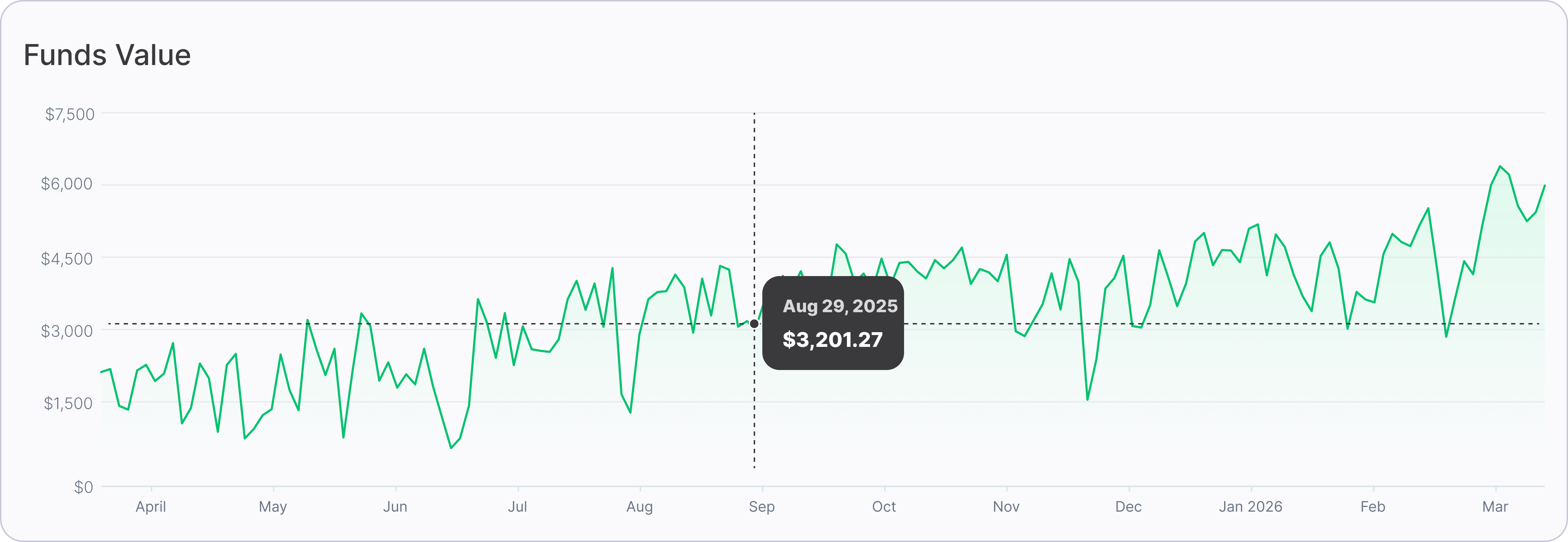
Timeline: The graph tracks your data from your first recorded fund trade within Orizon Analytics up to the current date.
Accuracy & Consistency: The daily data points on the graph are synced to match your "Total Funds Value" card to provide uniform data visualization across the page.
Interactivity: You can hover over points on the line to see the estimated total value for a specific date range.
3. Visualizing Strategy: Portfolio Fund Composition (Treemap)
The Treemap provides a hierarchical view of your fund distribution. It uses proportional shapes to represent the size of each holding, assisting you in identifying potential concentration risk or over-weighting.
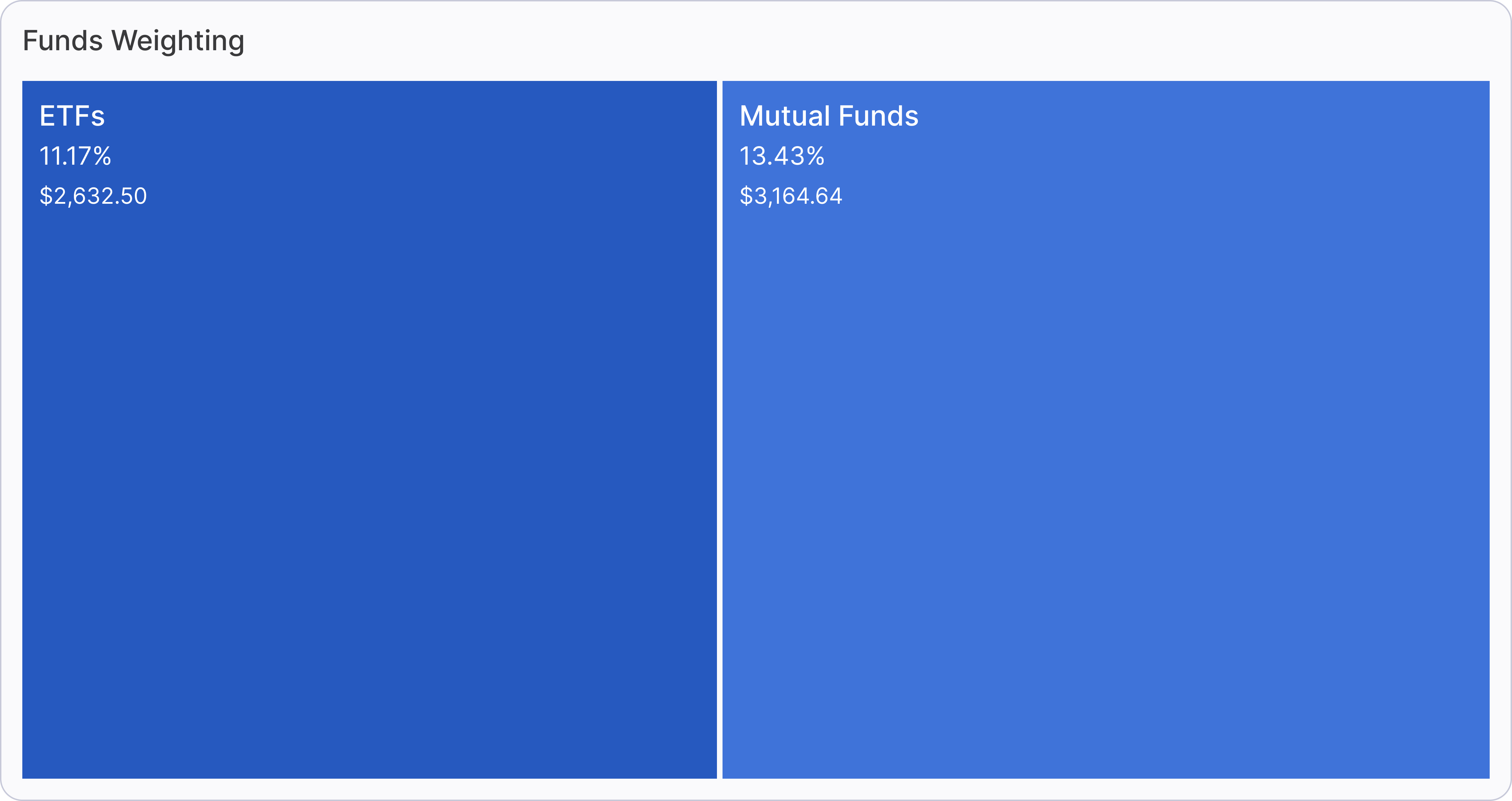
Two-Level Depth: The map groups assets by category (ETFs vs. Mutual Funds) and then by individual ticker.
Dynamic Data: Each square displays the Fund Name, the estimated dollar amount invested, and its percentage share of your total portfolio.
Interactive Filtering: If you use the top slider to filter for "ETFs" only, the Treemap automatically adjusts to show only that asset category.
4. Granular Analysis: Detailed Funds Distribution
The Detailed Funds Distribution table provides row-by-row data. It consolidates your fund-specific metrics into a structured ledger.
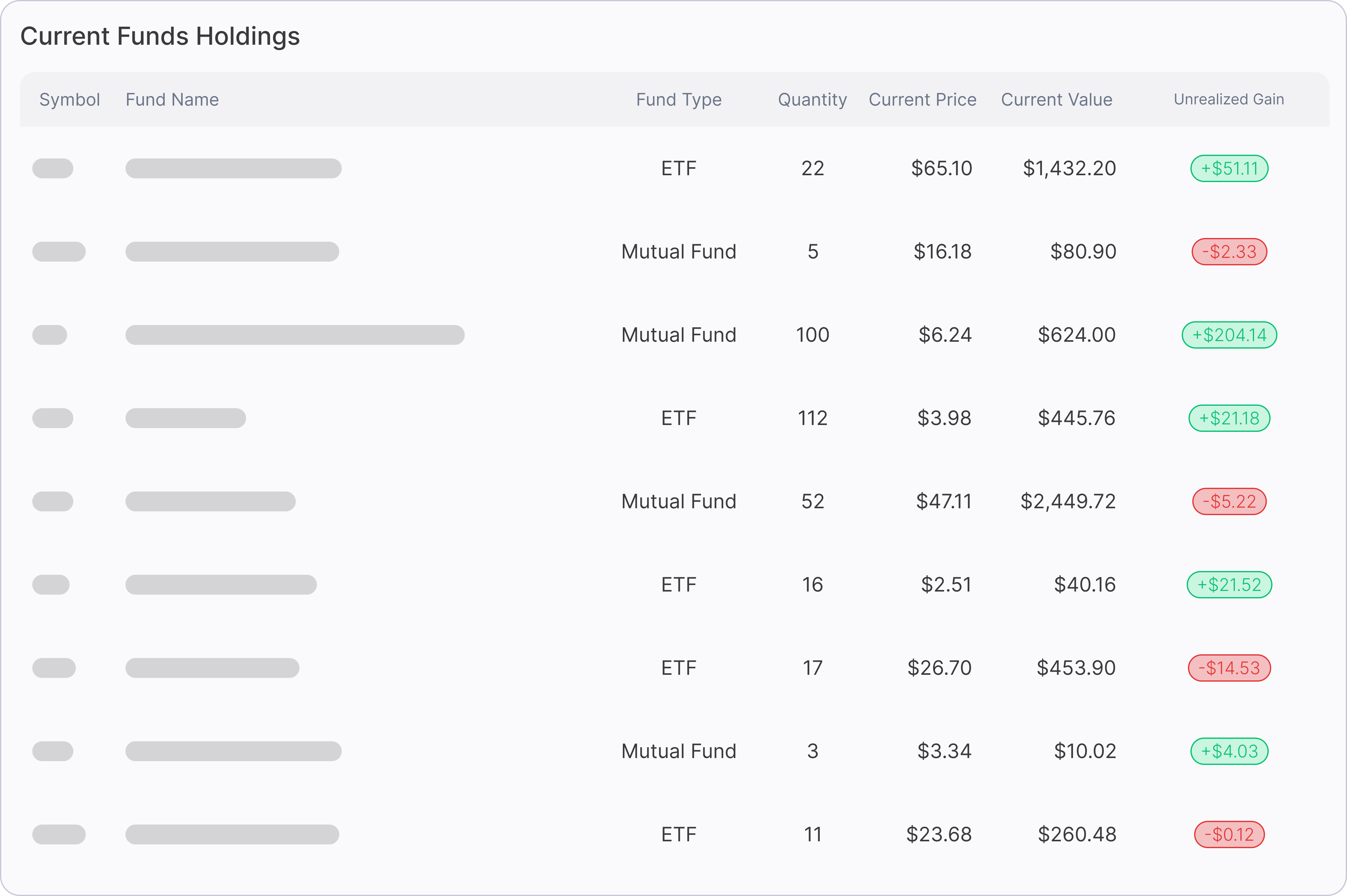
Key Columns: View data including Quantity, Price, Market Value, and Unrealized Gain/Loss.
Highlight: Why Use the Funds Page?
The Funds Page allows you to focus specifically on the diversified portion of your portfolio. Whether you are tracking the cost-efficiency of your expense ratios or monitoring the growth of your asset allocation, this page provides specialized tools designed to assist in managing your long-term wealth strategy.
If you have any questions or encounter any issues, please contact our support team for assistance at support@orizonanalytics.io